
Your State-Specific Manual, Built Around Your Practice.
Choose your state and the treatments you offer, add your practice details and logo, and download a policy & procedure manual with your practice on every page, ready for your medical director and provider to sign.
Six Steps, Start to Download.
- Step 1Your Practice DetailsPractice name and address, shown on the cover and in the header of every page.
- Step 2Medical Director & StateYour medical director, primary provider and state of licensure, which sets the state-specific regulatory section.
- Step 3Your Treatment MenuPick the treatments you offer. Only those policies are added, along with the general policies every practice needs.
- Step 4Your LogoUpload a PNG or JPG. It appears on the cover and in the page header.
- Step 5Your CoverChoose from several cover designs and see a live preview before you build.
- Step 6Add-Ons & DownloadAdd consents, treatment guidelines, GFE forms and charting templates, then download everything as Word files.
The Manual, Plus Optional Add-Ons.
Aesthetic Medical & Wellness Policies & Procedures Manual
- An edition for your state, including a state-specific regulatory section with its sources
- Policies for the treatments you choose, plus general policies such as Blood Borne Pathogens, Universal Precautions and HIPAA
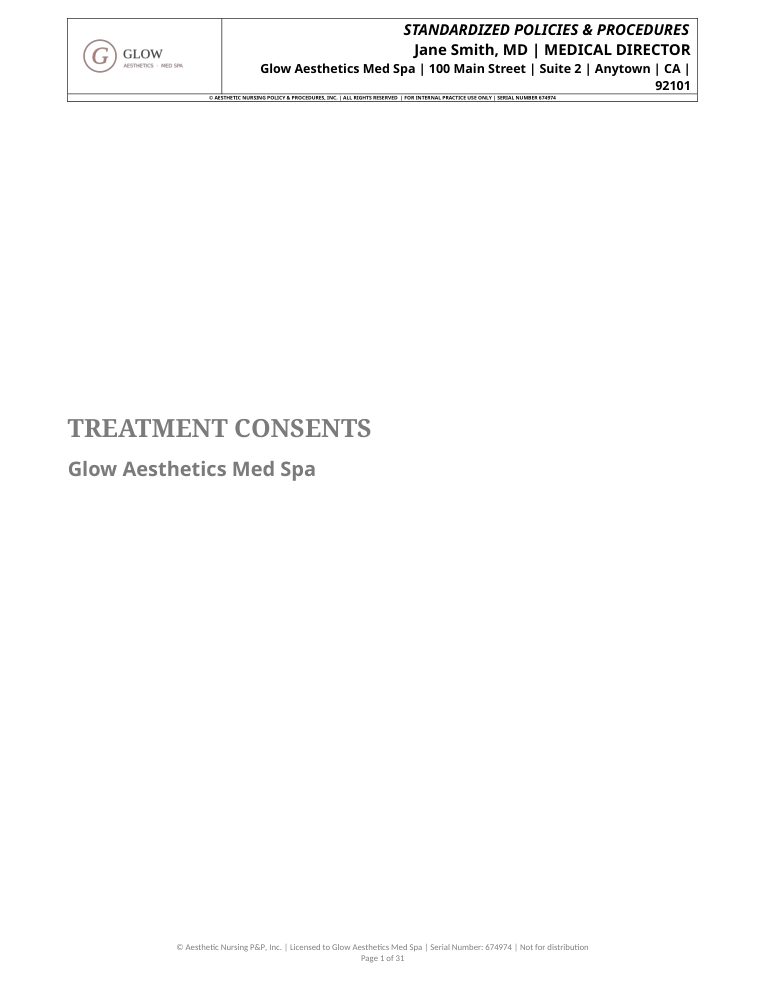
- Your practice name, address, logo, medical director and primary provider on the cover and every page header
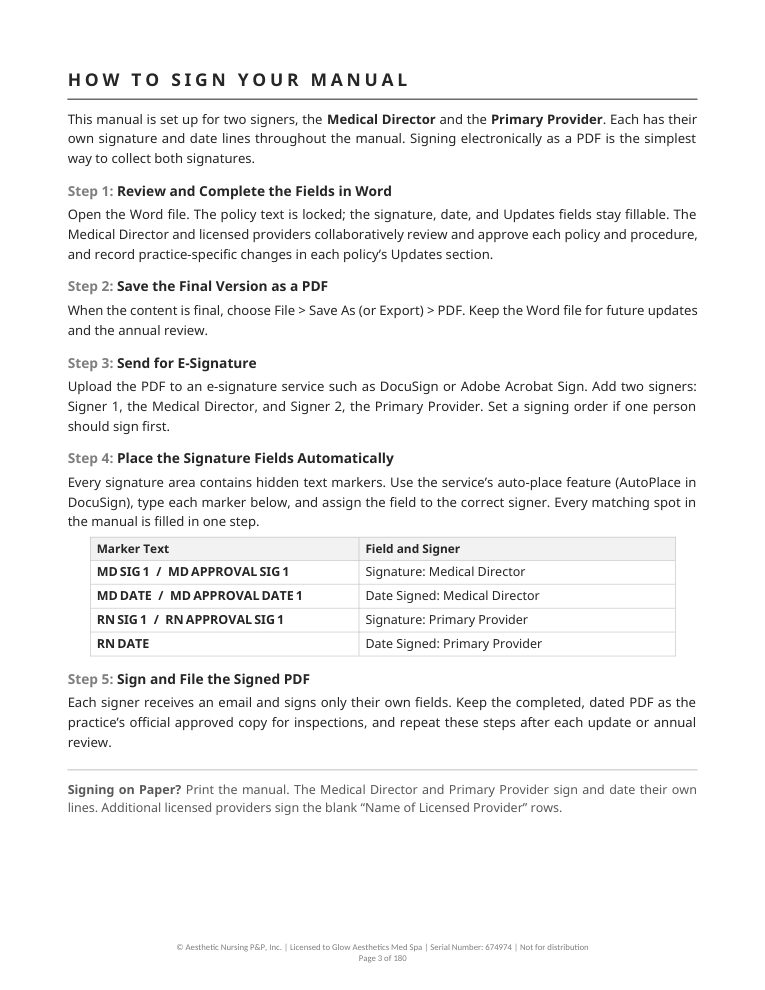
- A How To Sign Your Manual page and signature and date fields for your medical director and provider
- Policy content is locked; you fill in signatures, dates and the marked Updates sections
- Delivered as a Word file you can sign electronically or print
Add-Ons for Your Treatments
Each add-on downloads as its own Word file, matched to the treatments you selected.
- ConsentsAvailable at Launch
- Treatment Guidelines & Standing OrdersAvailable at Launch
- Good Faith Exams & IntakeAvailable at Launch
- Documentation & Charting TemplatesAvailable at Launch
- Patient InstructionsComing Soon
- CompetenciesComing Soon
Pricing for the manual and add-ons will be announced at launch. The waitlist hears first.
Your Practice on Every Page.
Shown for a sample practice, Glow Aesthetics Med Spa. Your manual uses your own practice details, logo and cover choice.


Start With the Binder Blueprint. Answer a few questions to map the tabs your practice needs. Your state and treatment menu carry over to your waitlist request.
Open the Binder BlueprintBe First When the Builder Opens.
Join the waitlist and I'll email you when the Manual Builder opens, along with launch pricing. If you came from the Binder Blueprint, your state and treatment menu are saved with your request.
Need a manual sooner? Book a free 30-minute consult and we'll talk through a custom state-specific manual for your practice.
I'll email you when the Manual Builder opens.
Before You Build.
When Does the Manual Builder Open?
Soon. The waitlist is notified first, with launch pricing.
Which States Are Covered?
Editions are being prepared for all 50 states and Washington, DC. Rules vary by state, so each edition includes a state-specific regulatory section with its sources.
Can I Edit the Manual?
The policy content is locked so the standardized wording stays intact. You fill in the signature and date fields and the marked Updates sections, where you can record practice-specific changes.
What File Do I Receive?
A Word file for the manual, and a separate Word file for each add-on you choose. You can sign electronically or print and sign.
Does the Manual Guarantee Compliance?
No. The manual is a starting framework. Your medical director should review and sign it, and your practice is responsible for following your state's current laws and Board requirements.
I Need a Manual Now. What Are My Options?
Book a free consult to talk about a custom state-specific manual, a compliance readiness audit or ongoing support.
Consulting and Education Services. Not a Law Firm and Not Legal Advice. Rules Vary by State.